Every handover lands in one Inbox. With the summary and the transcript.
When the agent hands a chat over, it opens in your Inbox under To do, with a short summary and the whole conversation. Assign it, keep a note, then mark it done.
What it does for you.
- From Starter
Handovers wait in To do
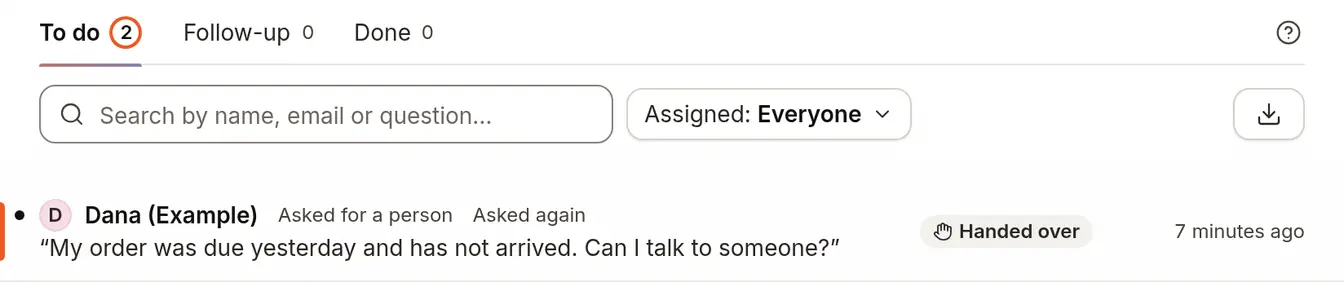
Each handed-over chat is a row in To do, with Follow-up and Done beside it. Choose Handed over to see only those.
- From Starter
Read the summary, then the whole chat
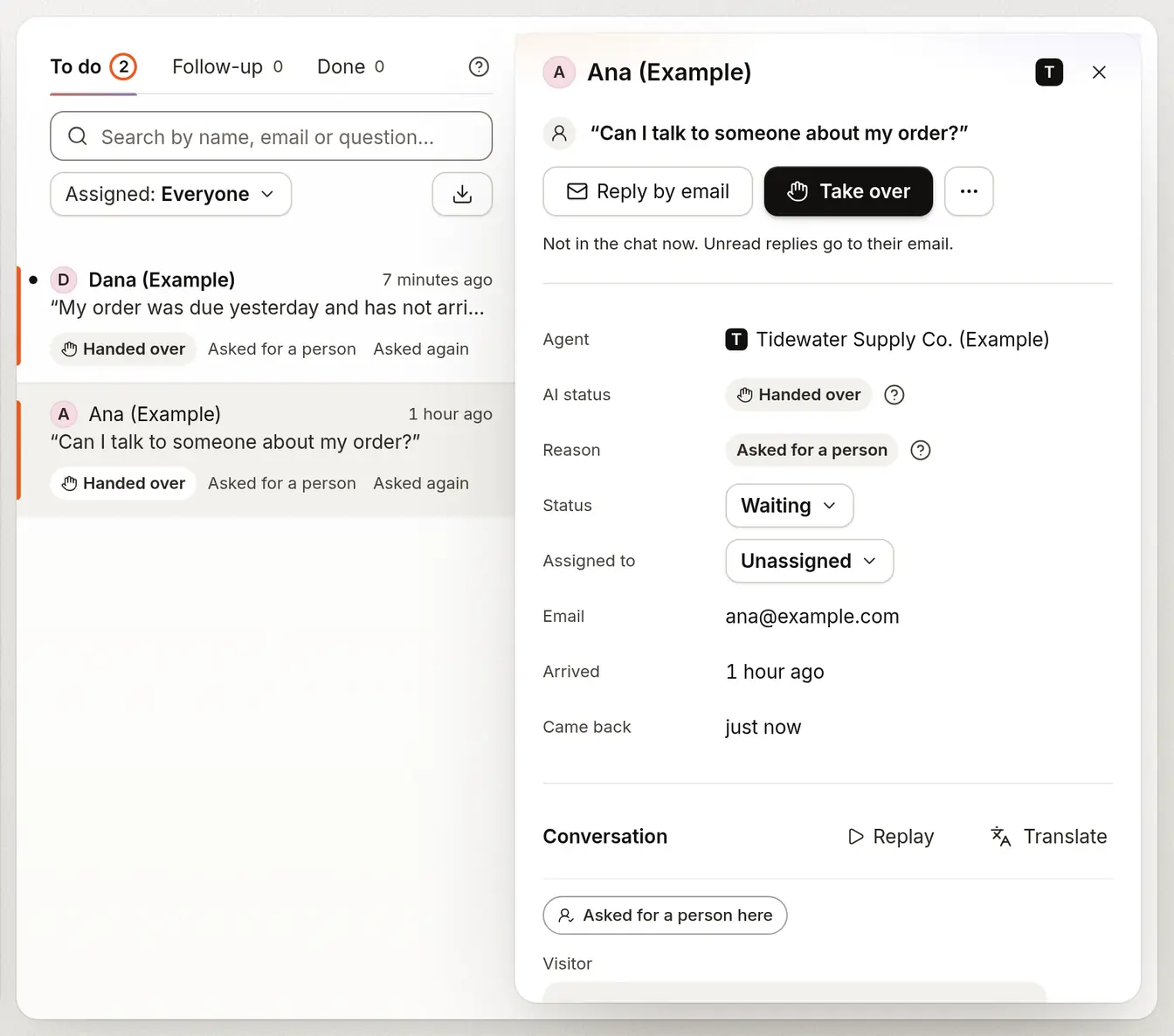
The agent writes a short summary for your team and the transcript sits under it. Assign the chat to a teammate and add a note that only your team sees.
- From Starter
Take over while they are still in the chat
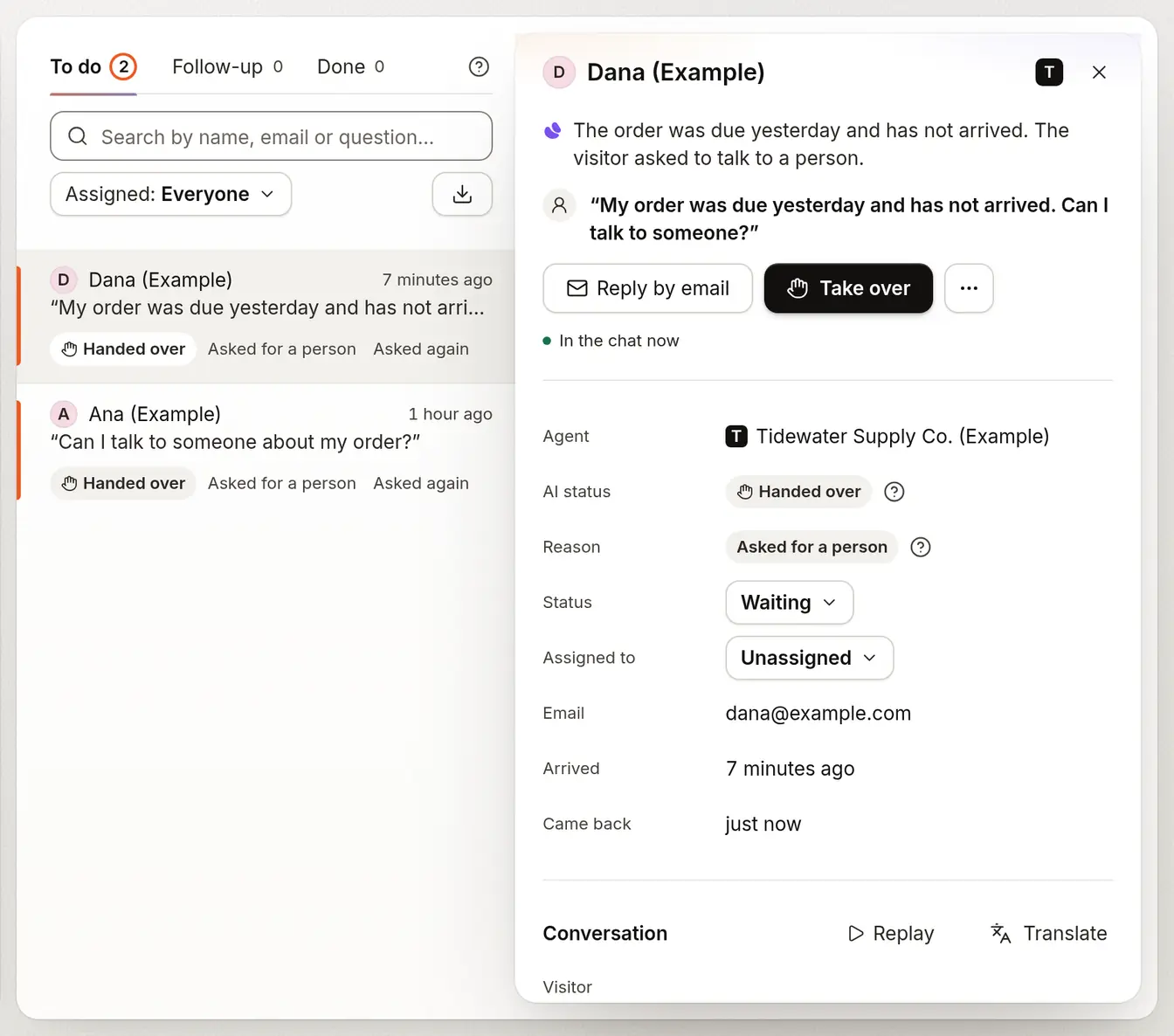
Press Take over to answer as a person while the visitor is in the chat. It works on web chat and Slack, and a colleague who opens the chat after you is told who is replying.


Which plan it needs.
Each line sits on the lowest plan that includes it.
Starter
$19.99 a month3 agents
- Opens every handed-over conversation in your Inbox, with To do, Follow-up and Done to sort them
- Shows a summary and the transcript on each handover, with Assign and Notes for your team
- Lets a teammate take over a live chat and reply as a person, on web chat and Slack
Growth
$40 a month5 agents
- Opens a ticket in Zendesk or Intercom on handover, once you connect it
Questions people ask first.
What lands in the Inbox?
Every conversation the agent hands over, with the agent’s summary and the transcript. It waits under To do until someone replies or marks it done.
Can the visitor see our notes?
No. Only your team sees notes. They are never sent to the visitor or the agent.
Can we answer a chat live?
Yes. Press Take over while the visitor is in the chat and reply as a person. Take over works on web chat and Slack.
What if two of us open the same chat?
The second person is told who is already replying, so you don’t answer over each other.
Do we need a helpdesk as well?
No. The Inbox is where handovers wait if you have none. If you use Zendesk or Intercom, connect it and a ticket opens there too.
Which plan do I need?
Starter ($19.99 a month) includes the Inbox, handover and the summary with the transcript. Growth ($40 a month) adds a ticket in Zendesk or Intercom on handover.
More on how it works.
Put an honest agent in front of your pages.
Start free; the paid plan is free for 14 days.
- 14-day free trial
- No card needed
- Paste a URL to start