Answers enquiries while you’re on a job. And takes their email for you.
Point it at your website. It answers area, call-out and service questions while you’re on a job, and passes the rest to you.
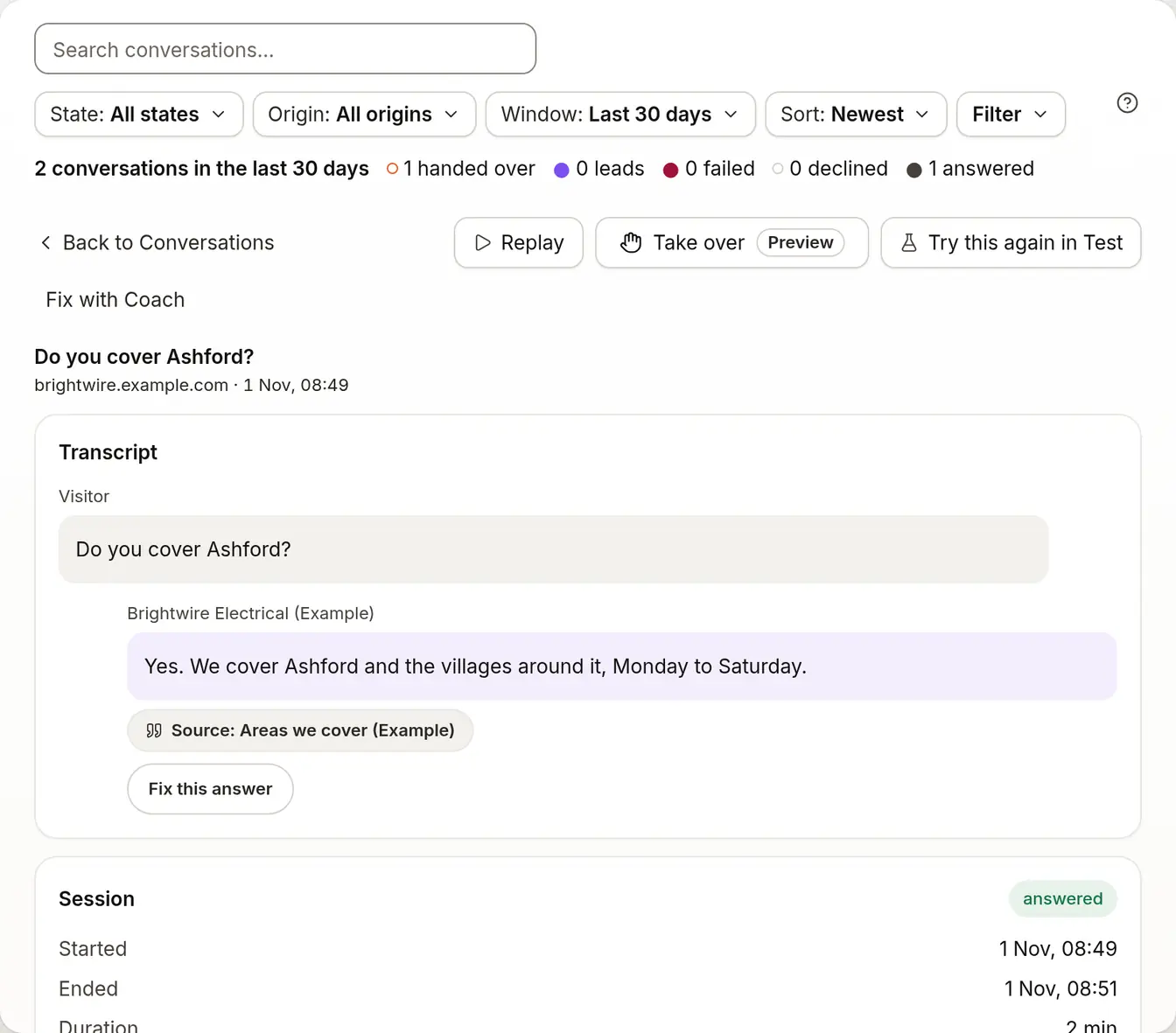
Do you cover Ashford?
Do you fit EV chargers?
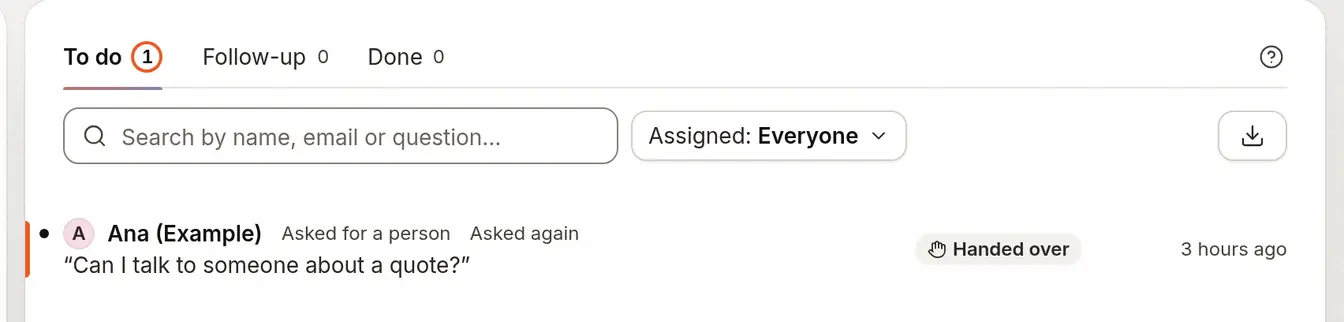
Can I talk to someone about a quote?
What it does for you.
- From Starter
Answer areas, fees and services
From your own website, day or night, with the source shown.
- From Starter
Take their email when it can’t answer
The visitor leaves an email and the question goes to you: Hand over, under When it can’t answer.
- From Starter
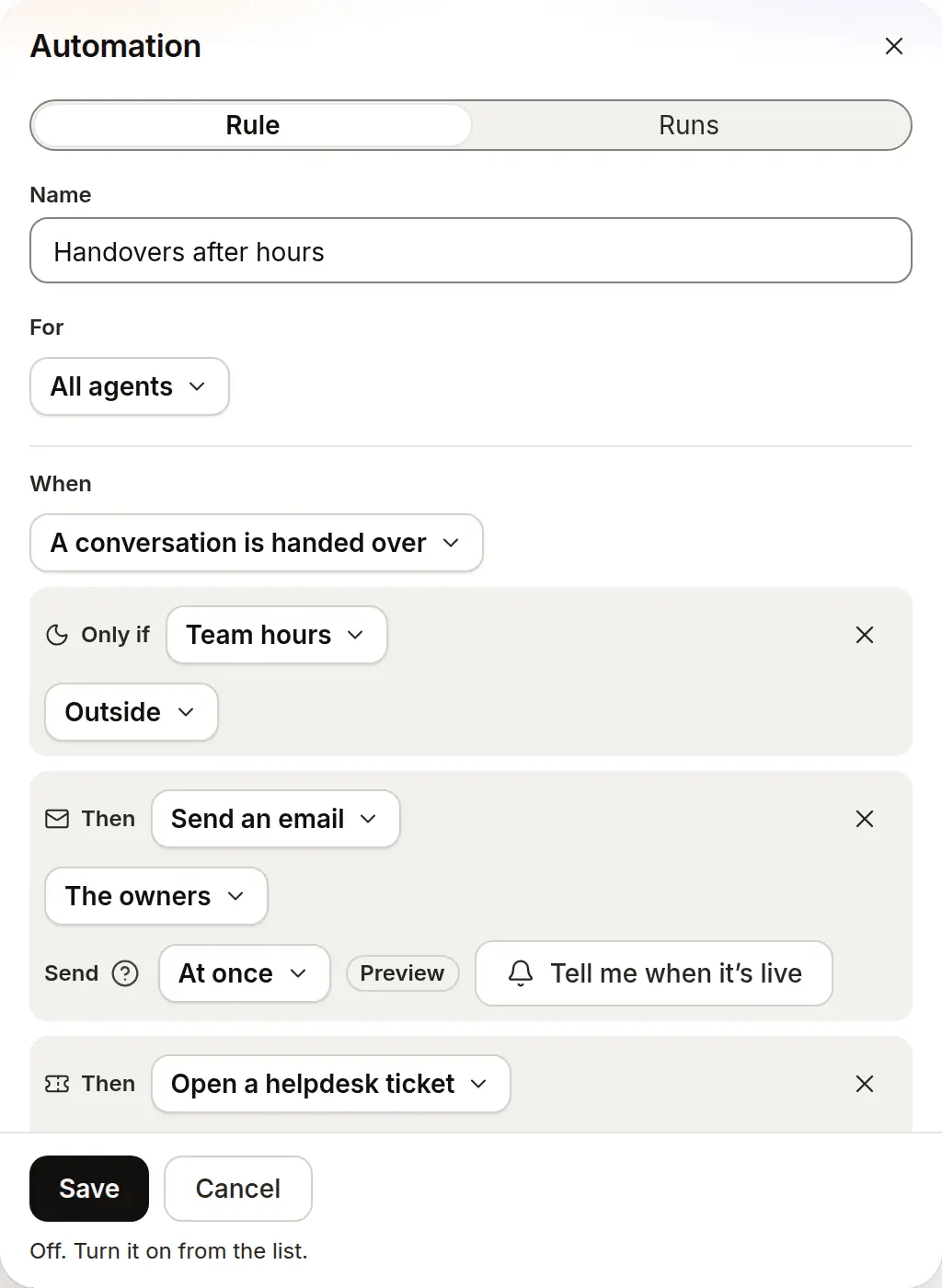
Get handovers after hours
The “Handovers after hours” automation emails you when a chat is handed over outside your hours.


Which plan it needs.
Each line sits on the lowest plan that includes it.
Starter
$19.99 a month3 agents
- Answers areas covered, call-out fees and services from your site, day or night
- Asks for the visitor’s email when it can’t answer, and sends you the question (Hand over)
- Emails you when a chat is handed over outside your team hours (“Handovers after hours”)
- Answers from your own pages and shows the passage behind each answer
- Says so when it can’t answer, and offers your team instead of guessing
- Opens every conversation in your Inbox, with the transcript
Growth
$40 a month5 agents
- Opens a ticket in Zendesk or Intercom on handover, with the same automation
Put it on your site.
A step-by-step guide for each builder, with the one line to paste.
Start from a rule that works.
Each one saves switched off, so you read it before it runs.
Questions people ask first.
Does it answer my phone?
No. It answers on your website, and when it can’t answer it asks the visitor for their email so you can reply.
What happens at night?
It answers from your site at any hour. A question it can’t answer waits in your Inbox, and the “Handovers after hours” automation can email you when one arrives outside your team hours.
How do I get the enquiry?
In your Inbox, with the whole conversation. Handover emails reach you where email is set up.
Does it work on my Wix or WordPress site?
Yes. Each has a step-by-step guide, and you paste one line. Wix: Your site must be published and have a connected domain. WordPress: Paste one line into a header and footer plugin, on self-hosted WordPress or a paid WordPress.com plan.
Which plan do I need?
Starter ($19.99 a month) covers the website chat with citations, the Inbox and handover. Growth ($40 a month) adds the Zendesk and Intercom connections.
Set it up step by step.
Who else it’s for.
Put an honest agent in front of your pages.
Start free; the paid plan is free for 14 days.
- 14-day free trial
- No card needed
- Paste a URL to start