Answers students’ questions from your pages. Courses, dates and fees, with the source.
Point it at your course and fees pages. It answers what a course covers, when it starts and how to enrol, and passes anything else to your team.
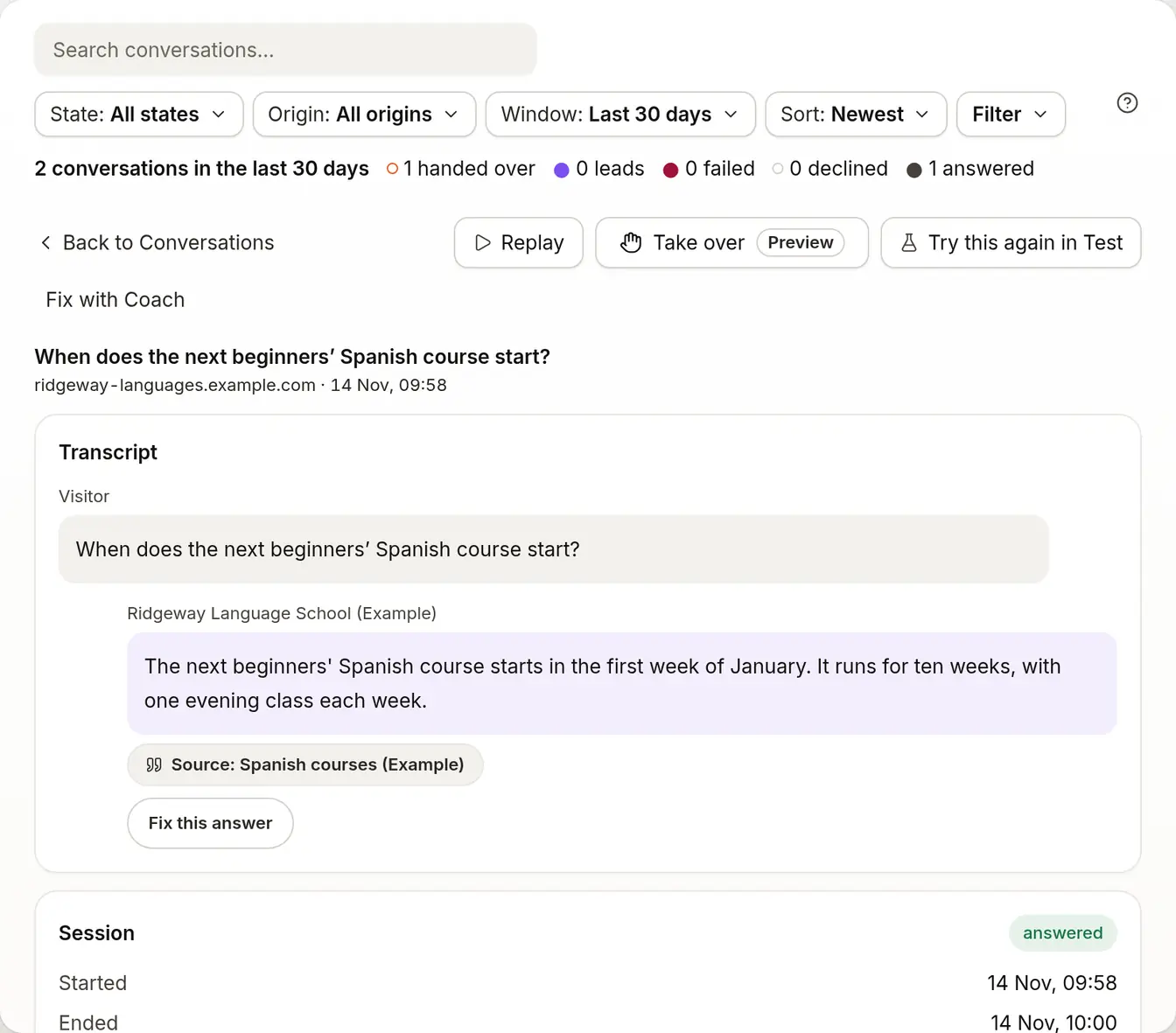
When does the next beginners’ Spanish course start?
Do you offer exams in Portuguese?
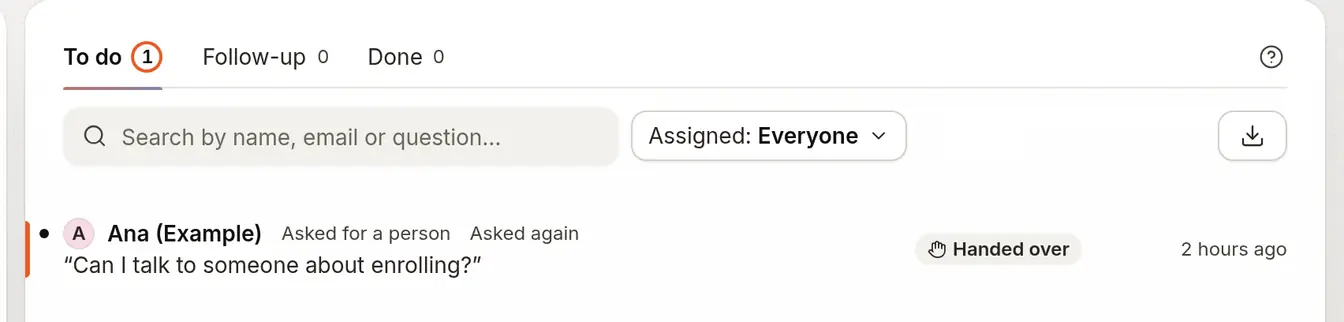
Can I talk to someone about enrolling?
What it does for you.
- From Starter
Answer course, date and fee questions
From your course pages and fee sheet, with the source shown.
- From Starter
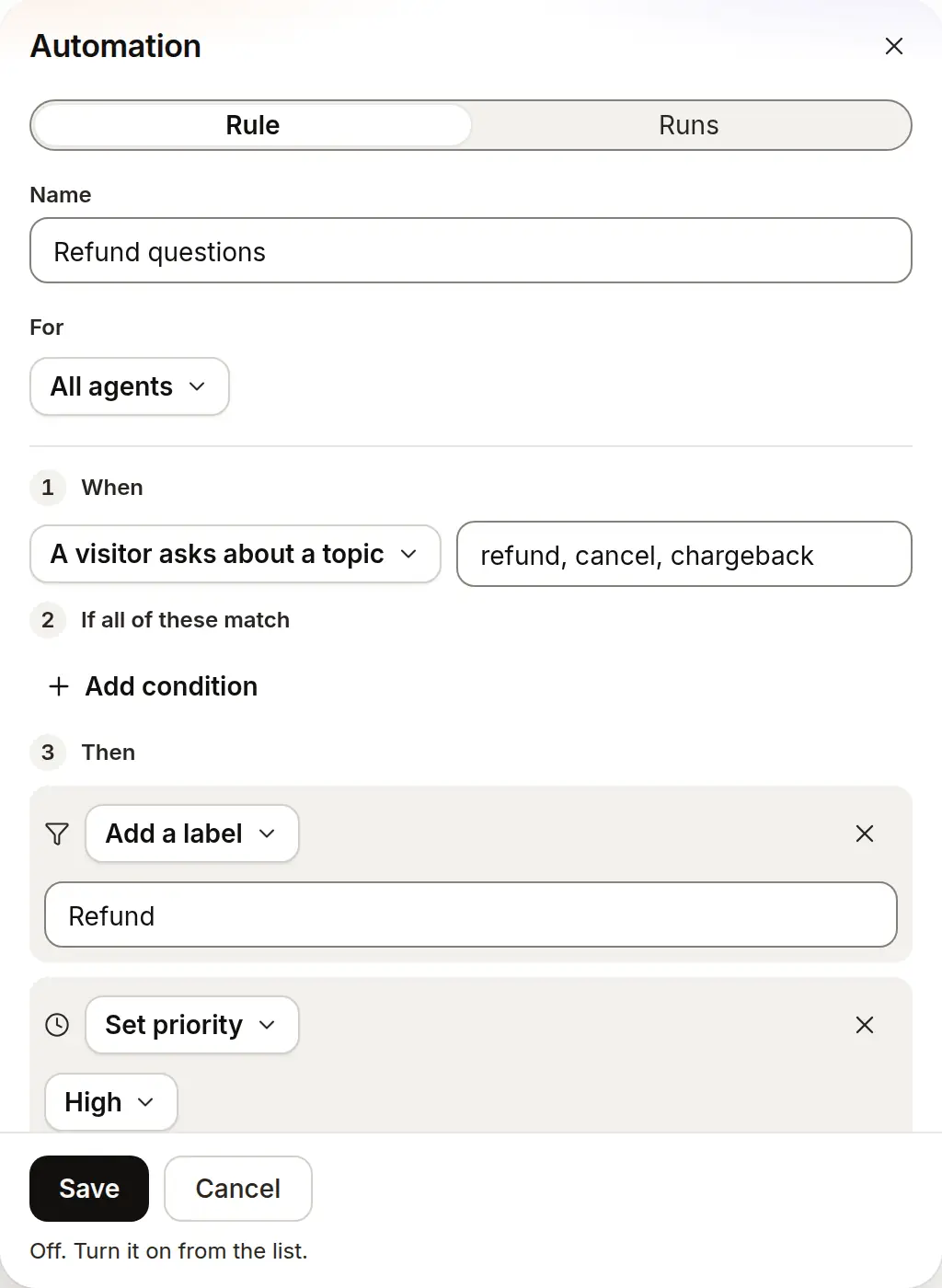
Tag refund and cancel questions
The “Refund questions” automation tags a message about a refund or cancelling and sets it to high priority.
- From Starter
Enrolment questions reach your team
A question about enrolling lands in your Inbox with the transcript, ready for your team to answer.


Which plan it needs.
Each line sits on the lowest plan that includes it.
Starter
$19.99 a month3 agents
- Answers what a course covers, when it starts and what it costs from your pages, with the source
- Tags refund and cancel questions and sets them to high priority with the “Refund questions” automation
- Hands enrolment questions to your team in the Inbox, with the transcript
- Answers from your own pages and shows the passage behind each answer
- Says so when it can’t answer, and offers your team on the second miss in a row or when asked, instead of guessing
- Opens every conversation in your Inbox, with the transcript
Put it on your site.
A step-by-step guide for each builder, with the one line to paste.
Start from a rule that works.
Each one saves switched off, so you read it before it runs.
Questions people ask first.
Can it enrol a student?
No. It answers from your pages, and hands an enrolment question to your team in the Inbox, with the conversation.
What if a course isn’t on our pages?
It says so and doesn’t guess. If it still can’t answer the next time, or the visitor asks, it offers to pass the question to your team. The conversation reaches your Inbox with everything the visitor wrote.
Does it answer in the student’s language?
Yes. It answers in the language the student writes in, from your pages in whatever language they are in.
Does it know which classes still have places right now?
No. It answers from the pages you give it and doesn’t read a live feed. Re-sync your site after the pages change so its answers keep up, and add the page by its address if it missed one.
Which plan do I need?
Starter ($19.99 a month) covers the website chat with citations, the Inbox, handover and automations. Growth ($40 a month) adds the Zendesk and Intercom connections.
Set it up step by step.
Who else it’s for.
SaaS
Answers from your docs, and the rest goes to your team.
Online shops
Delivery, returns and sizing, from your own policy pages.
Agencies
An agent on each client’s site, each with its own look.
Clinics
Hours, prices and preparation, from your own pages.
Trades
Areas, call-out fees and services, while you’re on a job.
Publishers
Subscriber questions, answered from your own archive and help pages.
Travel
Trips, booking terms and policies, from your own pages.
Hospitality
Hours, menus and bookings, from your own pages.
Auto dealers
Opening hours, services and service prices, from your own pages.
Property
Viewings, fees and areas, from your own pages.
Put an honest agent in front of your pages.
Start free; the paid plan is free for 14 days.
- 14-day free trial
- No card needed
- Paste a URL to start