Sharing your Expert Twin
Publish your Expert Twin, then share its page at hiy.ai/your-name: in your bio, your email signature or a talk’s last slide.
Publish it
It’s in the agent’s header and reads Draft until you publish. Choose Live.
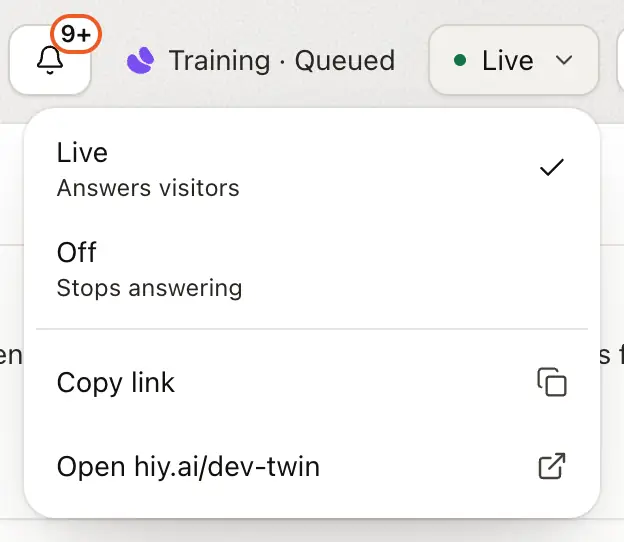
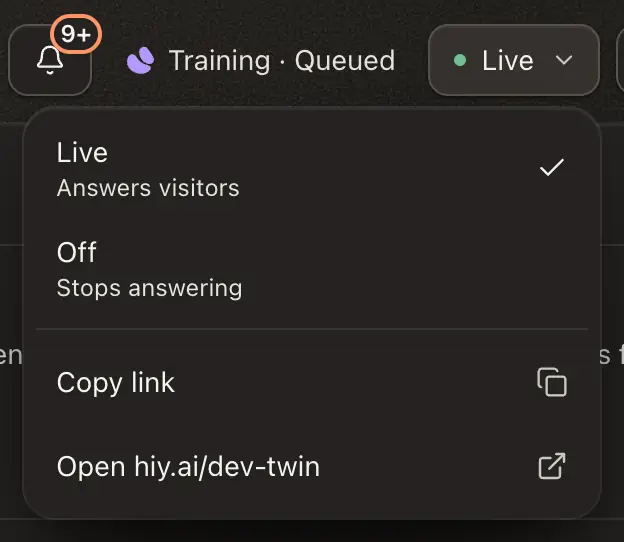
The menu reads In review while a person confirms the name is yours, and Declined if it isn’t.
Once live, you get your link, a QR code and three ready-to-post announcements. Reopen them from Settings › Channels.
Turning it Off stops the page answering at once. Your knowledge stays.
A Support Agent that’s Off still shows its handover form, so visitors can leave a message for your team, unless When to hand over is Never. Messages land in your Inbox.
A public or unlisted twin answers up to a fifth of your allowance a day, then stops until midnight UTC, so a script can’t spend your month in a day.
Link to one answer
Add a question to your link and the visitor lands on that answer:
https://hiy.ai/your-name?q=How%20do%20you%20price%20projects%3FSettings › Channels › Share gives each of your suggested questions a LinkedIn, X, email and copy button. Linked this way, a suggested question unfurls into a card showing the question. Once your Expert Twin hits a milestone, such as a number of questions answered, a ready-made line to share appears there too.


Listed or unlisted
Listed, the default, lets search engines and hiy show your Expert Twin. Unlisted keeps the link working but keeps it out of search and listings.
Note
Unlisted is not private. Anyone with your link can still read it, so don’t put anything in it that must stay hidden.
Good to know
- Publishing needs something to answer from. Until then the menu says Add a source first.
- A pasted link unfurls into a card with your name and role line, made from your profile.
- People who sign up from Create your own on your page are recorded as your referrals.
- Support and Team Agents have no public page. Publishing one shows who can reach it and how to install or invite.